
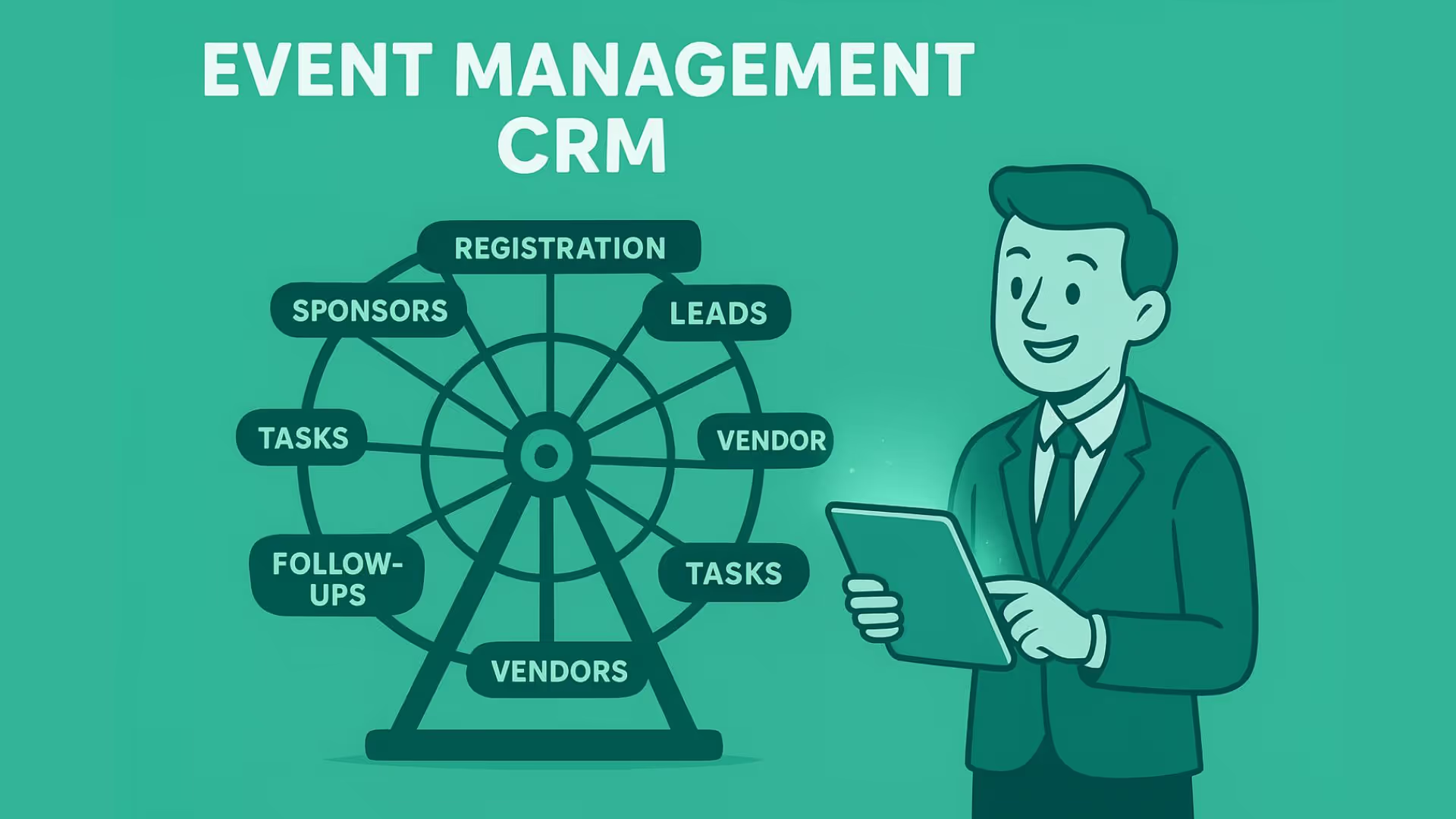


Managing a huge crowd, navigating vendors, yet delivering flawless, on-time execution of events is a skill in itself. Whether you are planning a wedding, corporate event, or a party, a dedicated event management CRM is crucial to keep track of the details of multiple events.
What is an event management CRM?
Unlike a simple contact database, an event management CRM connects these relationships and activities to the wider event lifecycle - from the first inquiry and qualification to booking, event delivery, and post-event follow-up.
For example, a corporate client who inquires about an annual conference may have multiple conversations, a proposal, venue requirements, vendor requirements, payment milestones, and follow-up activities associated with the same opportunity. A CRM keeps that history connected instead of spreading it across inboxes, spreadsheets, and individual notes.
Who should use an event management CRM?
- Wedding planners and social event coordinators
- Corporate event agencies handling multiple clients
- Conference, expo, and trade show organizers
- Event marketing teams managing sponsors and attendees
- Freelance planners juggling vendors, venues, and payments
The exact CRM requirements can vary depending on the type of event business. A wedding planner may need stronger client, vendor, venue, and booking workflows, while a conference organizer may care more about attendee registration, sponsors, sessions, and post-event engagement.
Event venues and businesses that host recurring events can also use CRM data to manage inquiries, bookings, client history, repeat business, and relationships with vendors or partners.
Features of an event planner CRM
Client and lead management
Track inquiries, contact details, conversations, proposals, bookings, preferences, and event history in one place.
Vendor management
Maintain vendor records and connect them to specific events, responsibilities, contracts, and relevant communication.
An event may involve caterers, decorators, photographers, venues, performers, equipment providers, and other vendors. Keeping those relationships connected to the relevant event makes it easier to understand who is responsible for what and what still needs attention.
Attendee and guest management
Manage registrations, RSVPs, attendee information, reminders, and event participation, especially when the CRM is connected to registration or ticketing tools.
The exact integrations required will depend on the event workflow. A business focused on corporate conferences may need registration and webinar integrations, while a wedding planner may prioritize calendars, payments, client communication, and vendor coordination.
Sponsor management
Track sponsor relationships, communications, event participation, commitments, and follow-up across current and future events.
Event planning and execution
Keep event-specific tasks, dates, calendars, budgets, venues, and responsibilities connected to the relevant client and event records.
For businesses handling multiple events at once, connecting these details to specific event and client records can reduce the need to search through separate spreadsheets, documents, and message threads.
Post-event relationship management
Continue managing the relationship after the event through feedback requests, thank-you messages, repeat-booking outreach, sponsor renewal, or attendee engagement.
This is especially useful for businesses where one event can lead to future events. Instead of treating every booking as a brand-new relationship, the CRM can preserve the history of previous interactions and events.
Other useful event CRM metrics can include:
- Leads generated
- Lead response time
- Lead-to-booking conversion rate
- Average booking value
- Sales cycle length
- Revenue by event
- Event profitability
- Repeat booking rate
- Lost lead reasons
- Lead source performance
These metrics can help answer practical questions such as: Which channels generate bookings? How long does it take to close an event? Which types of events are most profitable? How many clients return for another event?
With Superleap CRM, you can seamlessly integrate event-related customer data with marketing automation, multichannel communication, and reporting workflows.
Event management CRM vs event management software
Event management CRM
- Manages leads, clients, vendors, and revenue
- Tracks relationships across multiple events
- Handles follow-ups, communication, and repeat bookings
Event management software
- Focuses on ticketing, check-ins, event apps, and on-ground logistics
- Often used alongside a CRM, not as a replacement
The difference becomes clearer when you look at what happens before, during, and after an event. An event management system may focus heavily on registration, ticketing, check-in, attendee experience, or on-site logistics. A CRM focuses more heavily on the relationships, opportunities, communications, and commercial activity surrounding those events.
What should an event management CRM dashboard show?
A CRM dashboard should not try to display everything the system knows. It should surface the information that helps the team monitor event sales, relationships, or performance.
For example, a sales dashboard for an event agency could show:
- New event inquiries
- Open opportunities
- Bookings by stage
- Pipeline value
- Upcoming events
- Deals requiring follow-up
- Lead source
- Monthly booking revenue
An operations-focused view might instead show:
- Upcoming event dates
- Assigned tasks
- Vendor status
- Pending payments
- Important deadlines
- Attendee or guest counts
The right dashboard therefore depends on whether the user is managing event sales, client relationships, event operations, or business performance.
Benefits of an event management CRM
- Higher lead conversion and faster bookings
- Zero missed follow-ups
- Stronger vendor coordination & reliability
- Organized and predictable pipeline tracking (wedding vs corporate vs concerts)
- Better client experience through smart automation
- Multichannel lead capture
- Unified communication
- Complete visibility into event ROI
- Reduced admin workload paving time for creative planning
What should an event management CRM help you measure?
Tracking the right metrics can help event businesses understand both the sales process and the performance of individual events.
Lead metrics
Measure how many inquiries you receive, where they come from, how quickly the team responds, and how many eventually become booked events.
Sales metrics
Track open opportunities, pipeline value, booking value, conversion rates, sales cycle length, and lost opportunities.
Event metrics
Depending on the type of event, useful measures can include registrations, attendance, no-show rate, event revenue, and event profitability.
Relationship metrics
For businesses that depend on repeat clients or sponsors, repeat booking rate, renewal activity, and post-event engagement can provide useful context.
For example, suppose an agency generated 100 event inquiries in a month but only converted five into bookings. The number of leads alone does not explain the problem. Looking at response time, lead source, proposal conversion, and lost-lead reasons can reveal where the pipeline is slowing down.
What happens after the event?
The relationship does not necessarily end when the event does. In many event businesses, the post-event period is where future business opportunities begin.
A client who successfully hosted one corporate event may need another event six months later. A sponsor may return for the next conference. An attendee may register for another event. A venue or vendor may become a preferred partner.
A CRM can preserve those relationships and their history so teams can continue the conversation instead of starting from a blank record every time.
Post-event workflows can include:
- Thank-you messages
- Feedback requests
- Client satisfaction surveys
- Repeat-booking follow-ups
- Sponsor renewal conversations
- Attendee re-engagement
- Future event invitations
- Internal event performance reviews
How to choose the best event management CRM?
Ask the following questions before you make a decision:
- What is your business type? Are you an agency, a freelance or a corporate/wedding event team?
- Is your focus: lead management OR attendee management?
- Do you handle ticketing?
- What is the maximum number of events you manage per month?
- Is mobile/on-site check crucial for your business?
Depending on your answers, pick your top 5, run a trial period, and check which software suits your business, budget, and employees the best.
The best event management CRM is one that fits your workflow today and scales as your events grow. Prioritize ease of use, automation, and visibility over feature overload. A CRM should simplify planning - not add complexity.


.avif)
%201%20(1).svg)
.svg)
.svg)
.svg)
.svg)